
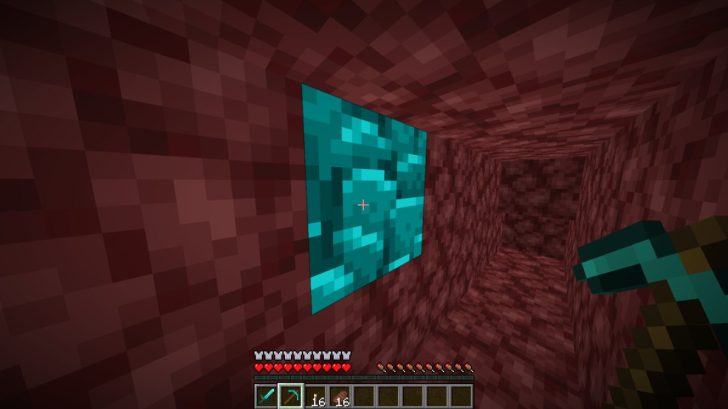
Simple textures for Minecraft that make ancient Debris very bright and eye-catching.
Pictures:
Dev(s): JethiYippee
How to install Blue Ancient Debris on Minecraft:
- Download textures and drop them into the resourcepacks folder
- Go to the settings in the game, go to the Textures section and move Blue Ancient Debris from the left list to the right one, and to the very beginning of the list.
- MORE
Download Blue Ancient Debris resources:
For 26.2.x / 26.1.x / 1.21.11:
- Download Blue Ancient Debris.zip (5.6.2026)
For 1.21.x / 1.20.x / 1.19.x / 1.18.x / 1.17.x / 1.16.x /:
- Download Blue Ancient Debris.zip (5.6.2026)
Be the first to comment