
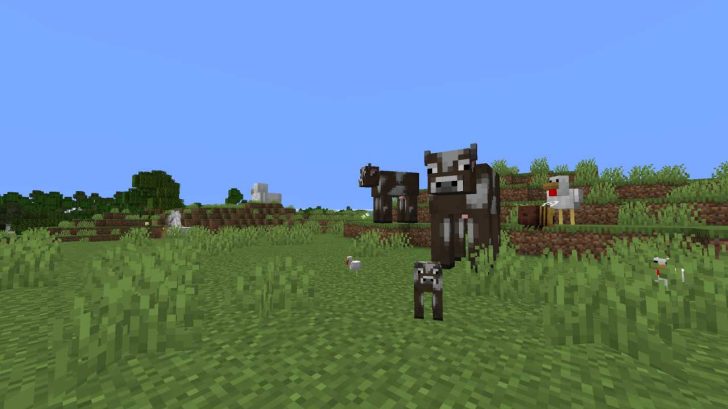
Want a little chaos? This project randomizes the sizes of all mobs in your world, from microscopic to gigantic (within 0.01–20 of the original).
Video Guide:
The sizes are determined once, the first time you encounter a mob. You and your items are unaffected, as is the Ender Dragon (it’s “immune” due to Minecraft bugs).
Dev: marbrueck
Requirements for NeoForge:
Requirements for Forge:
Requirements for Fabric:
- Fabric and Fabric API
Quilt requirements:
How to install RandomScale to Minecraft with NeoForge:
- Download and install NeoForge
- Download and throw RandomScale and the required mods to the mods folder. That's it!
- More.
How to install RandomScale to Minecraft with Forge:
- Download and install Forge
- Download and throw RandomScale and the required mods to the mods folder. That's it!
- More info.
How to install RandomScale to Minecraft with Fabric:
- Download and install Fabric
- Download and drop the RandomScale mod and Fabric API with the required files into the mods folder. That's it!
- More.
How to install RandomScale to Minecraft with Quilt:
- Download and install Quilt
- Download and throw RandomScale mod and QSL with the required mods to the mods folder. That's it!
- More.
How to install RandomScale to Minecraft with datapack:
- Download and drop RandomScale into the datapacks folder in the selected world folder.
- Download and install the required resource packs and data packs, mods (if any).
- In the game, enter the world and write the command in the /reload chat.
- More.
Download Auto Harvest mod for Minecraft:
For 26.3 (Neoforge)
- Download randomscale-0.2.0.jar (17.9.2026)
For 26.3 (Forge)
- Download randomscale-0.2.0.jar (17.9.2026)
For 26.3 (Fabric)
- Download randomscale-0.2.0.jar (17.9.2026)
For 26.3 (Quilt)
- Download randomscale-0.2.0.jar (17.9.2026)
For 26.3 (Datapack)
- Download RandomScale 0.2.0.zip (17.9.2026)
For 26.2 (Neoforge)
- Download randomscale-0.2.0.jar (25.6.2026)
For 26.2 (Forge)
- Download randomscale-0.2.0.jar (25.6.2026)
For 26.2 (Fabric) (Quilt)
- Download randomscale-0.2.0.jar (25.6.2026)
For 26.2 (Datapack)
- Download RandomScale 0.2.0.zip (25.6.2026)
For 26.1.x (Neoforge) (Forge) (Fabric) (Quilt)
- Download randomscale-26.1.x.jar (14.1.2026)
For 1.21.9–1.21.11 (Neoforge) (Forge) (Fabric) (Quilt)
- Download randomscale-0.2.0.jar (14.1.2026)
Be the first to comment